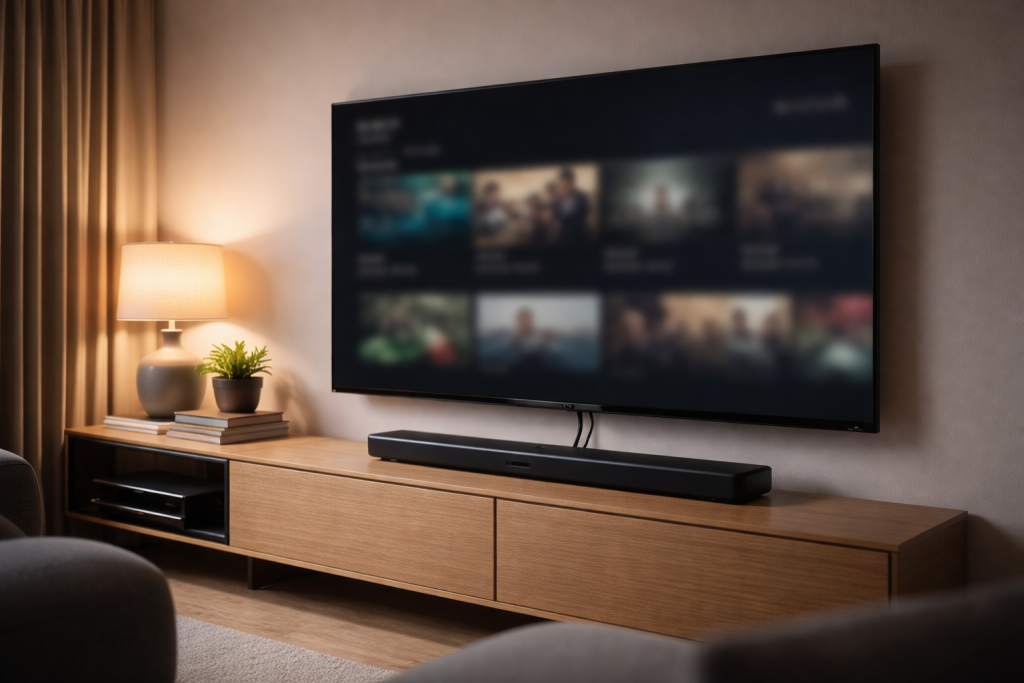
TV problems in 2026 almost never come down to “a bad TV”. They come down to negotiation: HDMI handshake timing, HDCP copy protection, HDR format switching,
audio return channel settings (ARC/eARC), and control commands (CEC) bouncing between devices. Add streaming apps that update constantly, consoles that switch
refresh rate on the fly, and soundbars that rely on perfect passthrough — and you get issues that feel random: “No signal” after power on, OLED flicker when
HDR is enabled, Dolby Vision vanishing on Netflix, soundbars going silent over eARC, or a TV that keeps switching inputs by itself.
This pillar is a practical hub for diagnosing and fixing those problems in the fastest, least destructive way. It tells you what to check, in what order,
and why each check matters. When you hit a specific symptom, it routes you to the dedicated FixGearTech step-by-step fix guide.
Start here: match your symptom (don’t guess)
Pick the line that matches what you’re seeing. If you try to fix the wrong category (for example, chasing “internet issues” when it’s actually HDCP),
you’ll waste an hour and end up rebooting everything forever.
-
No signal on HDMI after TV power on (works after input switch or reboot) →
Fix No Signal on HDMI After TV Power On -
OLED flickering or black flashes when HDR is enabled →
Fix OLED Flickering When HDR Is Enabled -
Dolby Vision missing or not working on Netflix (drops to HDR/SDR) →
Fix Dolby Vision Not Working on Netflix (UK) -
TV randomly switching inputs by itself →
Fix TV Switching Inputs by Itself -
Soundbar has no audio via HDMI eARC / ARC (or audio drops out) →
Fix Soundbar No Audio via HDMI eARC
If you have multiple symptoms at once (for example, flicker plus eARC dropouts), treat it as a system problem:
cable/port bandwidth + CEC + firmware mismatch. The diagnostic routine below will isolate the culprit.
How modern TV systems really work (why “it used to work” means nothing)
In 2026 your TV is managing four separate “agreement layers” every time something changes:
(1) video format negotiation, (2) HDR mode negotiation, (3) HDCP copy protection, and (4) audio/control negotiation (ARC/eARC + CEC).
Any one of these can break while the others still look fine.
HDMI is a negotiation, not a cable
HDMI looks simple because it’s one connector. Under the hood it’s a handshake:
the TV reads the device capabilities (EDID), the source chooses an output mode, they authenticate HDCP if required,
and they keep that relationship stable while switching apps, changing framerate, or waking from standby.
Standby is the #1 trigger
Most “random” HDMI failures happen after standby because devices wake at different speeds.
The TV may request a signal before the console/box has fully initialised. A soundbar may not be ready when the TV sends audio format queries.
The result is the classic “no signal after power on” loop. If that’s you, don’t replace the TV — fix the wake handshake:
Fix No Signal on HDMI After TV Power On.
Streaming apps update more often than TV firmware
Netflix, Disney+, Prime Video and YouTube change device detection, codec paths, HDR triggers and UI behaviour constantly.
A setup that delivered Dolby Vision yesterday can drop to HDR today because the app updated or the TV’s internal “capability report” changed.
That’s why “nothing changed” is rarely true.
OLED + HDR + 120Hz is high bandwidth territory
OLED TVs typically run the “best” modes by default: 4K, deep colour, HDR, sometimes VRR/ALLM for gaming.
These modes push bandwidth and timing. A cable that works in SDR can fail in HDR. A port that works at 60Hz can glitch at 120Hz.
That shows up as flicker, black flashes, or brief signal loss:
Fix OLED Flickering When HDR Is Enabled.
The only troubleshooting order that saves time
The goal is to isolate which part of the chain is failing: TV port, cable, source device, audio device, or settings/firmware.
Do this in order. Don’t skip ahead. Most people waste time because they change five things at once and learn nothing.
Step 1: Do a true power reset (clears handshake state)
- Turn off the TV and all connected devices (console/box/soundbar/receiver).
- Unplug the TV from the wall. Unplug the soundbar/receiver too.
- Disconnect HDMI cables from the TV end (yes, physically).
- Wait 60–90 seconds (let HDMI chipsets fully power down).
- Plug the TV back in first and power it on.
- Then power on the soundbar/receiver. Then power on the source device.
If this fixes “no signal after power on” temporarily, you have a wake/handshake timing issue, not a dead port.
Go straight to:
Fix No Signal on HDMI After TV Power On.
Step 2: Isolate devices (one cable, one source)
Disconnect everything. Plug in only one source device directly to the TV. No soundbar, no receiver, no splitter.
Test the symptom. If it disappears, add devices back one by one until it returns.
The last device added is often the trigger (CEC conflicts and eARC chains are the usual culprits).
Step 3: Prove or eliminate the cable
Don’t “assume the cable is fine because it’s new”. HDR/120Hz/eARC exposes marginal cables fast.
Swap to a known-good certified cable. If the issue is HDR flicker or black flashes, this step is not optional.
Step 4: Lock video output temporarily (stops format flapping)
For troubleshooting, reduce complexity:
set the source to a stable mode (4K 60Hz, HDR off for a test, then HDR on).
If stability returns when HDR is off, you’re dealing with bandwidth/format negotiation.
Use:
Fix OLED Flickering When HDR Is Enabled.
Step 5: Disable HDMI-CEC as a test (stops device hijacking)
If your TV changes inputs by itself, or your soundbar randomly wakes the system, CEC is likely involved.
Disable CEC on the TV and on connected devices, test, then re-enable only what you actually need.
Full fix:
Fix TV Switching Inputs by Itself.
Step 6: Update firmware everywhere (TV, soundbar, console/box)
HDMI bugs are often firmware bugs. If you update only the TV but not the soundbar, you can create a mismatch.
Update the TV, the audio device, and the source. Then reboot everything once.
Cluster 1: “No Signal” on HDMI after TV power on
This symptom has a signature pattern: it mostly happens after standby or after turning the TV on, and it goes away if you:
switch inputs, power-cycle the source device, or unplug/replug HDMI. That points to a handshake timing failure.
What’s actually happening
When the TV wakes, it queries the connected device for capabilities (EDID) and tries to establish a stable video stream.
If the source device is still waking, negotiating HDCP, or recovering from sleep, the TV may decide there’s no valid signal.
Some TVs don’t retry properly, so you get stuck on “No Signal” until you force a re-handshake by switching inputs.
Most common triggers in real homes
- Console or streaming box waking slower than the TV
- AV receiver/soundbar in the chain delaying handshake
- CEC sending the TV to the wrong input during wake
- HDCP authentication failing on first attempt
- TV “quick start” / “instant on” mode creating inconsistent HDMI state
Fast fixes that often work (but don’t stop there)
- Disable quick-start/instant-on features for a test
- Set the source device to output a fixed resolution temporarily
- Try a different HDMI port (some ports behave better with certain devices)
- Remove receivers/switches temporarily to test direct connection
For the proper step-by-step (including the settings that actually matter and the correct wake order):
Fix No Signal on HDMI After TV Power On.
Cluster 2: OLED flickering or black flashes when HDR is enabled
HDR flicker is one of the most misdiagnosed problems because it looks like a panel fault.
In reality, most HDR flicker is signal instability: bandwidth, cable loss, port mode mismatch, or timing conflicts (especially with VRR).
Why HDR increases failure rates
HDR typically increases colour depth and changes tone-mapping behaviour. It can also trigger different HDMI “deep colour” modes.
That means higher throughput, tighter timing, and a stronger dependence on cable quality and port settings.
A cable that is “fine” in SDR can fail in HDR. A port configured for standard mode can glitch in enhanced mode.
Common real-world patterns
- Flicker happens only in HDR content, not menus
- Flicker happens only at 120Hz (gaming) but not 60Hz
- Black flashes during scene changes or brightness spikes
- Stable when HDR is off, unstable when HDR is on
What you’re trying to prove
You want to determine whether the instability is:
(1) cable/port bandwidth, (2) source output mode, or (3) TV processing/firmware.
The fastest path is to lock down variables: known-good cable, known-good port, fixed output mode, then enable HDR and test.
Follow the full troubleshooting path (including the settings that stop HDR flicker reliably):
Fix OLED Flickering When HDR Is Enabled.
Cluster 3: Dolby Vision not working on Netflix (UK)
Dolby Vision is not “just a TV feature”. It’s an end-to-end chain:
Netflix detection + app capability + device capability + TV capability + (sometimes) HDMI input mode + HDCP compliance.
If any part of that chain breaks, Netflix falls back to HDR10 or SDR — often without a clear explanation.
Why Dolby Vision disappears overnight
- Netflix app update changes how capability is detected
- TV firmware update resets HDMI enhanced/deep colour settings
- External device output switches (e.g., forced HDR / match content changes)
- HDCP handshake changes after standby
- Input mode toggles (enhanced vs standard) were reset or applied to the wrong HDMI port
Internal TV app vs external streaming box
Internal apps bypass HDMI, so they often get Dolby Vision “more reliably”.
External devices must negotiate through HDMI and pass HDCP. That adds two failure points:
HDMI mode settings and HDCP authentication. If DV works internally but not through a box, the HDMI chain is the suspect.
What to check quickly
- Test Netflix on the internal TV app (if available) vs external device
- Confirm you’re using the correct HDMI port and the port is set to enhanced mode
- Power reset the HDMI chain to force fresh HDCP authentication
- Check device video settings (match content / Dolby Vision toggles)
Full UK-focused fix (including the Netflix-specific traps and the exact settings that commonly break DV):
Fix Dolby Vision Not Working on Netflix (UK).
Cluster 4: TV switching inputs by itself (CEC wars)
Random input switching is not haunted. It’s HDMI-CEC.
CEC lets devices control power and input selection. In a perfect world, it’s convenient.
In real homes, it often becomes a control war: one device wakes, sends a command, the TV jumps inputs, and you end up on the wrong source.
Typical triggers
- A console waking to download updates
- A streaming box waking from network activity
- A soundbar trying to take over audio input
- CEC “active source” commands firing incorrectly after standby
- Multiple devices claiming they are the active source
The correct strategy
You don’t need CEC everywhere. You need it only where it benefits you:
usually TV ↔ soundbar power/volume. Everything else can be disabled.
The fix is to stop control signals from devices that don’t need them.
Follow the full fix path (including the settings names across common platforms and the safest “minimal CEC” setup):
Fix TV Switching Inputs by Itself.
Cluster 5: Soundbar no audio via HDMI eARC / ARC
eARC is powerful, but fragile. It relies on HDMI negotiation, CEC behaviour, and correct audio format alignment.
The most common cause of “no sound” is not a broken soundbar — it’s a configuration mismatch or a handshake failure after standby.
ARC vs eARC in plain terms
ARC is the older, more limited audio return channel. eARC supports higher bandwidth audio and more formats.
But eARC also increases the chance of “format mismatch” issues if TV and soundbar disagree about what they can decode.
Most common causes of eARC silence
- TV audio output set to the wrong mode (TV speakers or optical by mistake)
- eARC turned off (or set to ARC) after an update/reset
- Digital output format set to PCM when the soundbar expects bitstream (or vice versa)
- Passthrough disabled, causing re-encoding problems
- CEC conflicts causing the TV to “lose” the audio device
- HDMI port mismatch (using the wrong port on the TV or soundbar)
How to isolate quickly
- Confirm you’re connected to the TV’s eARC/ARC-labelled HDMI port
- Power reset both TV and soundbar (true reset, not standby)
- Switch audio output format temporarily to a stable setting (then refine)
- Disable CEC for a test if audio drops after input switching
Full step-by-step fix (including the exact settings and the common “passthrough vs auto” traps):
Fix Soundbar No Audio via HDMI eARC.
Streaming problems that look like HDMI issues (and vice versa)
People often blame the wrong layer. A streaming problem can look like HDMI (black screen, missing HDR),
and an HDMI problem can look like streaming (poor quality, sudden fallback to SDR).
The key is to separate “content delivery” from “signal output”.
Signs it’s streaming delivery (network/app) rather than HDMI
- Quality fluctuates gradually (soft image → sharper later)
- Buffering wheels, pauses, or “loading” messages
- Problem happens across multiple devices in the home
- Built-in TV app and external device both show the same bitrate drops
Signs it’s HDMI/output rather than streaming delivery
- Instant black flashes or signal dropouts (not gradual quality changes)
- HDR mode flicker only when HDR triggers
- Dolby Vision disappears only on one HDMI device
- “No signal” appears after standby/power on
If your “streaming problem” is actually Dolby Vision not triggering on Netflix, use:
Fix Dolby Vision Not Working on Netflix (UK).
Gaming-focused setup: PS5 / Xbox / PC on OLED (how problems start)
Gaming adds two high-risk ingredients: variable refresh rate (VRR) and frequent mode switching (60 ↔ 120Hz, SDR ↔ HDR).
If your OLED flickers only during games, or only at 120Hz, it’s almost always a mode/bandwidth stability issue.
Common gaming triggers
- 120Hz output enabled with an HDMI cable that isn’t stable at full bandwidth
- VRR enabled causing timing instability on certain TV firmware versions
- Console set to force HDR (rather than match content), causing constant HDR switching
- TV input mode not set to enhanced / game-optimised mode
What to do (test order that reveals the cause)
- Test 4K 60Hz HDR off (baseline stability)
- Enable HDR at 60Hz (if flicker begins here, it’s HDR/bandwidth)
- Enable 120Hz without VRR (if flicker begins now, it’s 120Hz/bandwidth)
- Enable VRR last (if flicker begins now, it’s VRR timing)
If HDR triggers flicker/black flashes at any stage, use:
Fix OLED Flickering When HDR Is Enabled.
Decision trees (fast diagnosis without spiralling)
If your TV shows “No signal” after power on
- Does switching inputs restore the picture? If yes → handshake timing.
- Does a true power reset fix it for a while? If yes → handshake state.
- Does removing the soundbar/receiver fix it? If yes → chain device delay/CEC.
Go to:
Fix No Signal on HDMI After TV Power On.
If your OLED flickers only when HDR is on
- Does it stop when HDR is disabled? If yes → bandwidth/format negotiation.
- Does it stop at 60Hz but not 120Hz? If yes → high bandwidth instability.
- Does a different cable fix it instantly? If yes → cable capability/quality.
Go to:
Fix OLED Flickering When HDR Is Enabled.
If Dolby Vision is missing on Netflix
- Does DV work in other apps but not Netflix? If yes → Netflix/app detection path.
- Does DV work on internal TV app but not external device? If yes → HDMI/HDCP/port mode.
- Did it start after an update? If yes → settings reset or capability change.
Go to:
Fix Dolby Vision Not Working on Netflix (UK).
If your TV switches inputs by itself
- Does it happen when another device wakes? If yes → CEC wake/active source.
- Does it stop when CEC is disabled? If yes → confirm culprit device and limit CEC.
Go to:
Fix TV Switching Inputs by Itself.
If your soundbar has no audio via eARC
- Is the cable in the correct eARC/ARC ports on both devices? Verify first.
- Does a true power reset restore audio? If yes → handshake after standby.
- Does switching audio output format temporarily restore sound? If yes → format mismatch.
FAQ (real questions people ask, real answers)
Why do I get “No signal” only after the TV wakes from standby?
Because the TV and source device are not completing the handshake in the wake order. The fix is to stabilise wake timing,
reduce handshake complexity, and stop CEC from forcing input jumps.
Use:
Fix No Signal on HDMI After TV Power On.
Why does HDR make my OLED flicker when SDR is fine?
HDR increases bandwidth and changes output modes. A marginal cable or misconfigured port can pass SDR but fail HDR.
Use:
Fix OLED Flickering When HDR Is Enabled.
Why does Dolby Vision work on Disney+ but not Netflix?
Each app uses different detection logic and streaming profiles. Netflix may disable DV if capability detection fails, settings reset,
or HDCP/HDMI mode is not correct on the device path. Use:
Fix Dolby Vision Not Working on Netflix (UK).
Why does my TV keep jumping to a different HDMI input?
HDMI-CEC “active source” commands are being sent by one of your devices. Disable or limit CEC to only what you need:
Fix TV Switching Inputs by Itself.
Why is there no sound via eARC even though the soundbar is on?
Usually a handshake/format mismatch, wrong port, or eARC toggle reset. Fix it step-by-step:
Fix Soundbar No Audio via HDMI eARC.
Should I replace the HDMI cable first?
If your issue involves HDR flicker, black flashes, 120Hz, or eARC instability, yes — but do it intelligently:
use a known-good certified cable and prove the difference.
If the symptom is “No signal after power on,” cable is less likely than handshake timing, but still worth testing if it’s old or unknown.
Why does turning everything off and on fix it?
Because it forces a full re-handshake: EDID read, HDCP authentication, audio negotiation. The goal is to make that handshake stable without daily reboots.
Why does it work when connected directly, but fails through a soundbar/receiver?
Because chain devices add handshake delay, port mode complexity, and CEC conflicts. Diagnose direct first, then rebuild the chain cleanly.
Why did an update “break” my setup?
Updates often reset HDMI enhanced modes, audio output formats, or capability reports. They can also change CEC behaviour and HDCP timing.
That’s why post-update issues should be treated as settings/handshake problems first.
Why is my picture washed out or too dark after HDR changes?
That’s usually a format mismatch (wrong HDR mode) or tone-mapping differences between the source and TV. Stabilise output mode first, then calibrate.
Why does Netflix quality look worse on one device than another?
It can be bitrate/network, but it can also be output mode differences: one device might be forcing SDR, another matching HDR/DV correctly.
If Dolby Vision/HDR is missing on Netflix, start here:
Fix Dolby Vision Not Working on Netflix (UK).
Why do I get audio delay (lip sync) after enabling eARC?
Audio delay is often caused by TV processing plus soundbar processing. Start by ensuring the correct passthrough mode and disable unnecessary audio processing.
If you’re also getting no audio dropouts, fix eARC stability first:
Fix Soundbar No Audio via HDMI eARC.
Why does my console keep forcing HDR all the time?
Console settings can force HDR output even for SDR content. That triggers constant mode switching and can expose flicker issues.
Set the console to match content where possible, then test stability.
How do I know it’s hardware failure?
If the problem persists across multiple known-good cables, multiple HDMI ports, and multiple source devices,
and it remains after firmware updates and true power resets, then hardware becomes a possibility.
But most cases resolve before that point if you diagnose in the correct order.
Before you move on
If you’re stuck in a loop of reboots, you’re not “fixing” anything — you’re resetting the system each time it breaks.
The way out is to stop treating this as one problem and identify which layer is failing: handshake timing, HDR bandwidth, Netflix DV detection, CEC control, or eARC audio negotiation.
-
If your TV shows “No signal” mainly after standby/power on, stop changing random settings. This is handshake timing and wake order.
Use the dedicated fix:
Fix No Signal on HDMI After TV Power On. -
If flicker/black flashes happen only when HDR is enabled, don’t blame the OLED panel first. Prove cable/port/output stability and then lock the right settings.
Use:
Fix OLED Flickering When HDR Is Enabled. -
If Dolby Vision disappeared on Netflix, don’t assume your TV “lost” Dolby Vision. It’s usually Netflix detection, HDMI mode reset, or HDCP chain changes.
Use:
Fix Dolby Vision Not Working on Netflix (UK). -
If the TV switches inputs by itself, you’re in CEC wars. The fix is to limit or disable CEC where you don’t need it:
Fix TV Switching Inputs by Itself. -
If your soundbar has no audio via eARC, don’t instantly replace the bar. Verify ports, reset the chain, and align output formats/passthrough first:
Fix Soundbar No Audio via HDMI eARC.
Here’s the simplest rule that keeps setups stable: change one variable at a time and keep what works.
If a certified cable fixes HDR flicker, keep that cable and stop experimenting.
If disabling CEC stops input switching, re-enable only the single CEC feature you actually want (usually TV ↔ soundbar volume/power) and leave the rest off.
If a true power reset fixes “no signal after power on,” move straight to handshake timing and wake order fixes — that’s where the root cause lives.
If you’ve done the isolation tests (single source direct to TV, known-good cable, firmware updated, CEC tested) and the problem is still identical,
then you’re finally at the point where hardware diagnostics make sense. Most people never reach this point because the issue resolves earlier when the chain is stabilised properly.