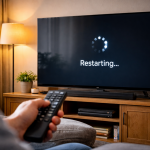
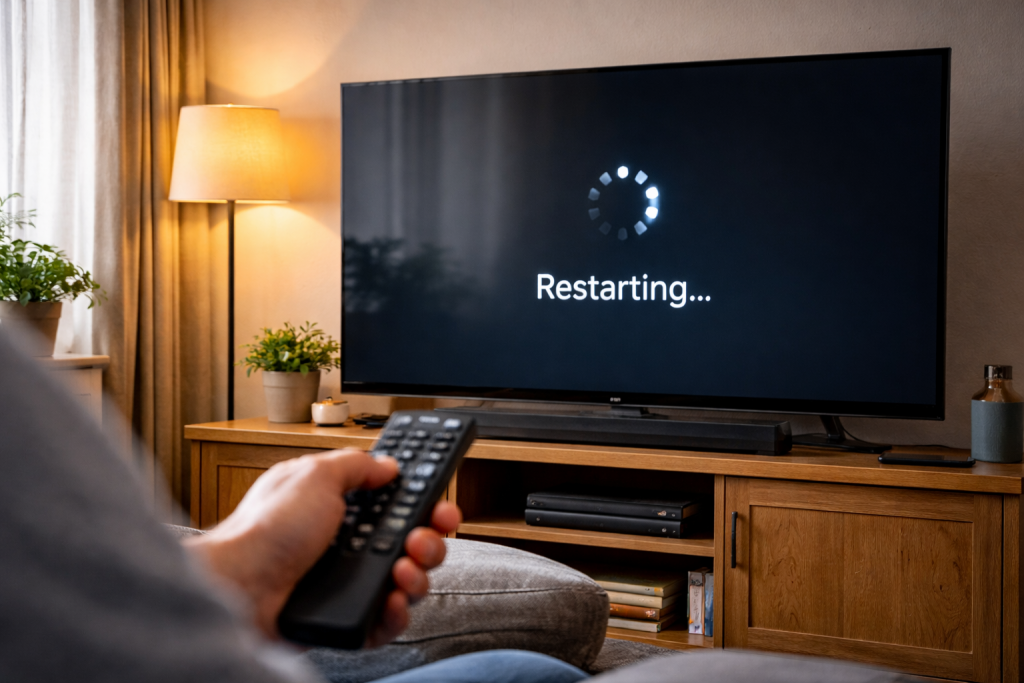
A TV that keeps rebooting right after a software update is usually not “broken” in the traditional sense. What’s failed is the boot sequence: the set powers up, loads part of the new firmware, then hits a crash point and restarts. Sometimes you’ll see the logo, sometimes you’ll get a few seconds of picture, and sometimes it never gets past a black screen.
The awkward part is that the reboot loop can look identical whether the cause is software corruption, a power stability problem, or a connected device (soundbar, set-top box, console) triggering a bad handshake. I’ve had sets on the bench that rebooted only when HDMI 2 was connected, and others that rebooted even with every cable removed because the update left the TV’s app cache in a mess.
Start by treating it like a controlled diagnosis, not a random reset spree. The goal is to get the TV stable long enough to finish housekeeping tasks the update expects (database rebuilds, app migrations, panel calibration routines), then remove the trigger that’s knocking it over.
What actually causes a post-update reboot loop
A modern smart TV boots more like a phone than an old telly. There’s a bootloader, a main OS image, and a set of services that start in a specific order. After an update, several things can go wrong:
- Incomplete firmware write: power interruption or a crash during the update leaves a partially written image. The TV may still show a logo because the bootloader is intact, but it can’t load the OS reliably.
- Corrupt app/data partition: the OS loads, then crashes when it mounts storage or migrates app data. This often presents as “boots for 10–30 seconds then restarts”.
- HDMI-CEC or eARC handshake storms: after updates, CEC tables and audio routing can change. A soundbar or box can repeatedly wake/sleep the TV or trigger input switching that destabilises the OS. If you’ve ever seen a TV reboot the moment a soundbar clicks on, this is the flavour.
- Network service failure: some firmware builds hang or crash during Wi‑Fi initialisation, captive portal checks, or time sync. It’s rarer, but I’ve seen it on UK ISP routers with aggressive DNS filtering.
- Power rail sensitivity: the update itself isn’t the root cause; it just changes load patterns. A marginal PSU or failing capacitors can tip over when the CPU/GPU ramps differently on the new build.
One practical clue: if the TV reboots at a consistent timestamp (for example, always 18 seconds after the logo), suspect a software/service crash. If it’s random, or happens when brightness changes, suspect power.
Stabilise the TV first (before you chase settings)
When a TV is looping, you need to reduce variables. Don’t start with factory resets unless you’ve already isolated power and peripherals; a reset can remove logs and make the behaviour harder to interpret.
- Unplug everything except power: aerial, HDMI, USB drives, Ethernet, optical, CI module. Leave the TV with only its mains lead.
- Move the plug to a known-good wall socket: avoid extension leads with switches, smart plugs, and surge strips for now. I’ve seen cheap extension blocks introduce enough voltage drop under load to cause reboots.
- Hard power drain: unplug the TV, then hold the TV’s physical power button (not the remote) for 15–20 seconds. Wait 2 minutes before plugging back in.
- Try a “cold boot” start: plug in, wait 30 seconds, then power on. If it stays up longer than before, you’re dealing with a state/cache issue rather than a dead mainboard.
If the TV still reboots with nothing connected, keep going. If it becomes stable, you’ve already learned something: a peripheral or cable is involved.
Step-by-step fixes that work in the real world
1) Break the HDMI-CEC loop (it’s more common than people think)
Post-update rebooting that only happens when a soundbar, Sky/Virgin box, Apple TV, Fire TV, or console is connected is often a CEC/eARC negotiation problem. The TV isn’t “crashing” because HDMI exists; it’s crashing because a service handling device control gets hammered.
- Boot the TV with all HDMI cables removed.
- Go to settings and turn off HDMI-CEC (brand names vary: Anynet+, Simplink, Bravia Sync, VIERA Link).
- If you use a soundbar: turn off eARC temporarily and set audio output to standard ARC or optical (if available).
- Power off the TV, then connect one HDMI device only and test for 10 minutes.
In practice, this step fixes the problem in about half of cases where the reboot starts “right after the update” and the household also has a soundbar.
If you need help with the audio side once the TV is stable, the symptoms overlap with HDMI ARC not detected after a power cut and soundbar no audio via HDMI eARC.
2) Clear the TV’s cache/data without nuking everything
Some platforms (Android/Google TV especially) can get stuck rebuilding app databases after an update. If the TV reboots after you see the home screen briefly, you’re likely hitting a service crash.
- Android/Google TV: if you can stay up long enough, go to Settings → Apps → See all apps. Clear cache for heavy hitters (Launcher/Home, Google Play services, streaming apps). If you can’t reach menus, use Safe Mode (many models: hold Power on the remote until the power menu appears, then long-press “Power off”).
- Samsung (Tizen): try Settings → Support → Device Care (or Self Diagnosis) → optimise/clean up. Also remove recently installed apps if the reboot started after an app updated alongside firmware.
- LG (webOS): Settings → General → Storage → clear cache / manage storage. If storage is near full, the update can leave too little working space for the system to settle.
I’ve seen older 8GB storage TVs sold in the UK before 2024 fall over after a big platform update simply because there’s no headroom left for the migration process.
3) Force a firmware re-install (USB method where possible)
If the update itself is corrupt, the cleanest fix is to re-flash the firmware. Not every brand supports user-accessible USB recovery, but many do.
- On a phone or PC, download the exact firmware for your model from the manufacturer support site. Use the TV’s full model code, not just “55-inch OLED”.
- Format a USB stick to FAT32 (or exFAT if the vendor specifies it).
- Copy the firmware file(s) and folder structure exactly as instructed by the manufacturer.
- Insert the USB into the TV and follow the on-screen update prompt, or use the TV’s “update via USB” option if you can reach it.
Manufacturer instructions differ, so use the official pages: Samsung TV firmware update steps and Sony TV software update and USB install guidance.
If the TV can’t stay on long enough to detect the USB, you’re in recovery-mode territory. Some models have a button sequence on the TV chassis to trigger a forced update; others require service tools. Don’t guess sequences from random forums—wrong combinations can lock you out of normal boot on certain sets.
4) Network isolation: stop the TV phoning home mid-boot
This sounds odd until you’ve watched it happen: the TV boots, connects to Wi‑Fi, pulls a config or ad service, then crashes and restarts. It’s not common, but it’s real.
- Boot with Ethernet unplugged.
- If Wi‑Fi is remembered and auto-connects, temporarily turn off your router’s Wi‑Fi for 5 minutes while you boot the TV.
- Once stable, forget the Wi‑Fi network on the TV and reconnect fresh.
If stability improves when offline, keep it offline long enough to clear caches and disable CEC/eARC. Then reconnect and test again.
5) Factory reset: only after you’ve isolated peripherals
A factory reset can fix a broken migration, but it also wipes app logins and settings, and it won’t help if the TV is rebooting due to power or a bad HDMI device.
- Use the in-menu reset if you can keep the TV on.
- If you can’t reach menus, look for a hardware reset option (some models: hold a button on the TV while plugging in power). Again, follow the manufacturer’s method for your exact model.
Expect the first boot after a reset to be slow. If it reboots during the initial setup screen repeatedly, that points away from app data and towards firmware integrity or hardware.
Real-world patterns I see in UK living rooms
Soundbar + eARC after an update: The TV reboots when the soundbar wakes, or when you switch to a streaming app. Disabling eARC and CEC stabilises it, then you re-enable one feature at a time. I’ve had a couple of cases where leaving eARC off permanently was the only stable configuration until a later firmware patch.
USB drive left plugged in: A USB stick or portable HDD that was fine before the update suddenly causes boot loops because the TV tries to re-index media on startup and hits a filesystem error. Unplugging USB stops the loop instantly. If you need the drive, plug it back in after the TV is fully up, then reformat the drive on a PC if it keeps misbehaving.
Set-top box with aggressive CEC: Sky Q and some HDMI switchers can spam CEC commands. After updates, the TV’s CEC handler becomes less tolerant. The fix is often to disable CEC on the box, not the TV, so you keep TV-side control for other devices.
Random reboots during bright scenes: This looks like software because it started after an update, but it’s usually power. HDR content ramps panel power and CPU load; a marginal PSU trips. The update just changed the power curve enough to expose it.
Mistakes that waste time (and sometimes make it worse)
- Leaving HDMI devices connected during resets: the TV reboots mid-setup because the same CEC/eARC trigger is still present, so you conclude the reset “did nothing”.
- Using a smart plug to “reboot” the TV repeatedly: rapid power cycling can corrupt storage further, especially if the TV is writing logs or finishing an update rollback.
- Assuming the last update is always the culprit: sometimes the update coincides with a failing power board. If the reboot timing is random, don’t get stuck in firmware-only thinking.
- Updating again immediately: if the TV is unstable, another OTA update attempt can fail mid-write. Stabilise first, then update.
- Ignoring storage warnings: low internal storage can cause boot loops on Android/Google TV. Clearing one big app cache can be the difference between stable and unusable.
I’ve also seen people chase “No Signal” problems when the TV is actually rebooting so fast the HDMI handshake never completes. If your screen goes black briefly before the restart, the behaviour can overlap with TV picture goes black for a few seconds.
Hardware and software angles worth checking
Power supply health: If the TV reboots even in a barebones state (no HDMI, no network) and especially if it does it under load (HDR, high brightness, loud audio), suspect the PSU. A technician can measure rail stability, but at home you can do two safe checks: try a different wall socket, and listen for relay clicking or buzzing that coincides with the reboot. Consistent clicking can indicate power cycling rather than software restarting.
Overheating isn’t common, but it happens: After an update, the TV might run a background indexing job that pushes the SoC harder. If the back of the set is hot to the touch near the mainboard area and it reboots after 10–20 minutes, improve ventilation and remove dust. Wall-mounted sets pushed tight into alcoves are the usual offenders.
Firmware channels and staged rollouts: Some brands push updates in waves. Two identical TVs in the same street can be on different builds for weeks. If your model has a known-bad firmware, the “fix” is sometimes waiting for the next patch while running with CEC/eARC disabled and minimal apps installed.
External streamer as a workaround: If the TV’s smart platform is unstable but the panel is fine, using an Apple TV, Roku, Fire TV, or a console can bypass the crashing subsystem. That’s not a repair, but it keeps the TV usable while you decide whether to pursue warranty/service.
Warranty and consumer rights (UK): If the reboot loop started immediately after an official update and the TV is within warranty, log it with the manufacturer. If it’s older but the failure is sudden and severe, you may still have options under the Consumer Rights Act depending on age and circumstances, but that’s a separate conversation from the technical fix.
Conclusion
A TV rebooting after a software update is usually one of three things: a peripheral-triggered loop (CEC/eARC), a storage/cache migration failure, or a firmware write that didn’t land cleanly. Strip the setup back to power only, stabilise the boot, then add components one at a time. If it reboots with nothing connected and a hard power drain doesn’t change the behaviour, move quickly to a USB firmware re-install (where supported) or warranty/service, because you’re likely dealing with corrupted firmware or power hardware that the update merely exposed.
FAQ
Why does my Samsung TV keep restarting after the update only when my soundbar is connected via eARC?
That pattern points to an eARC/CEC handshake loop rather than a general firmware failure. Boot with HDMI unplugged, disable HDMI-CEC and eARC on the TV, then reconnect the soundbar and test. If stable, re-enable CEC or eARC one at a time to find which feature triggers the reboot.
My Sony Bravia reboots at the logo about 20 seconds after a software update — why is the timing so consistent?
Consistent timing usually means the boot process reaches the same service every time (storage mount, network initialisation, launcher start) and crashes there. Try booting with network disconnected and all HDMI/USB removed. If you can reach settings, clear app caches and storage. If not, a USB firmware re-install is the next sensible step.
Why does my LG webOS TV stop rebooting when I unplug a USB hard drive, but starts again when I plug it back in?
The TV is likely trying to index the drive on startup and hitting a filesystem or power-draw issue. Leave the drive unplugged until the TV is fully booted, then connect it. If the problem returns, test the drive on a PC, back up what you need, and reformat it. Some portable drives also pull more power than the TV’s USB port tolerates reliably.
My TV only reboots after the update when streaming HDR films at night — why does SDR daytime TV seem fine?
HDR content increases panel power and processing load, which can expose a marginal power supply or unstable power from an extension lead. Test from a wall socket, reduce peak brightness temporarily, and see if the reboot correlates with bright HDR scenes. If it does, it’s less likely to be an app bug and more likely power stability.
Does a factory reset fix a TV stuck in a reboot loop after an update, or can it make it worse?
A factory reset can fix corrupted settings and failed migrations, but it won’t help if the reboot is caused by a connected HDMI device, a failing PSU, or a corrupted firmware image. Isolate peripherals first, then reset only once you can keep the TV stable long enough to complete the reset process.
Recommended gear on Amazon UK
- A simple USB stick is often the most reliable way to re-install TV firmware when OTA updates leave the set stuck rebooting. See suitable options
- A flaky HDMI cable can amplify CEC/eARC handshake problems after an update, and a certified short cable reduces negotiation errors. Comparable items
- Optical audio bypasses ARC/eARC entirely, which is useful for keeping sound working while you disable HDMI-CEC to stop reboot loops. See suitable options
- For diagnosis, a basic extension lead can help rule out a failing surge strip or smart plug that causes voltage drop and random restarts. Comparable items